
Your AI tutor, right in your browser
Pengi AI Tutor sees what your child is working on and helps them learn — no copy-pasting, no tab-switching. Free, safe, no data collected.
Screenshot any problem. Get a live tutor instantly.
Plus one-click tutoring on the sites students use most.
Tutoring that fits
how students actually learn
Works on Any Page
Screenshot a problem anywhere on the web and Pengi turns it into a live tutoring session — no supported-site list required.
Voice + Whiteboard
Talk to Pengi out loud while it works through the problem step-by-step on an interactive whiteboard.
Socratic Guidance
Asks guiding questions instead of giving answers. Builds real understanding, not shortcuts.
Built for Students
Designed for K-12 learners. Explains at your level, adapts to your pace.
Works on the sites
students use most
More platforms coming soon. Pengi automatically detects what you're working on.

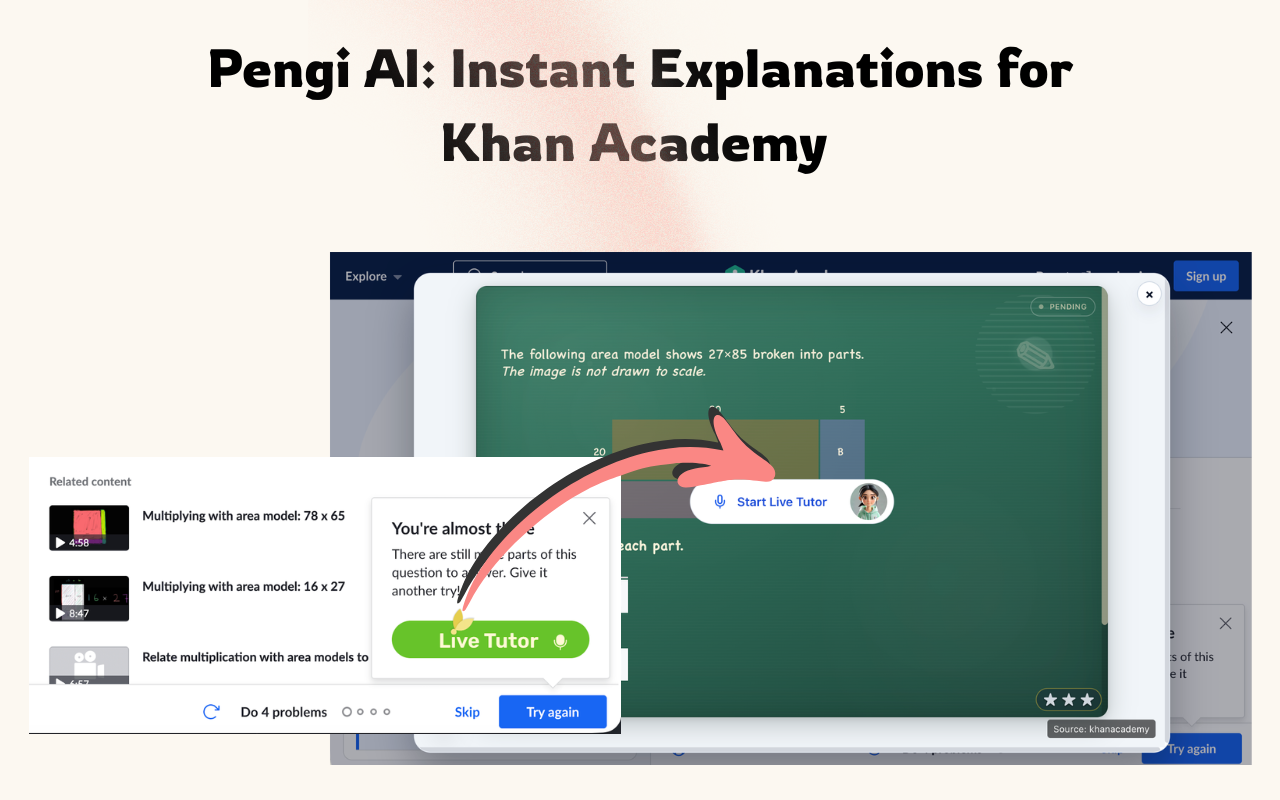
Khan Academy
Videos, articles & exercises

IXL
Math & language arts practice

PhET Simulations
Interactive science sims

Scratch
Creative coding projects
Designed with parents
in mind from day one
No account required to start
Zero ads — ever
Designed for grades 3–11
No personally identifiable data collected
Three steps to smarter studying
Install
Add Pengi AI Tutor from the Chrome Web Store. It's free.
Screenshot
On any page, click the extension and hit Take Screenshot — or use the built-in button on supported sites.
Learn
Pengi opens a live tutor with voice and whiteboard, guiding you step-by-step through the problem.
Frequently asked questions
Is Pengi AI Tutor free?
Yes. Pengi AI Tutor is completely free to install and use from the Chrome Web Store. It works on Chrome and Edge browsers.
Can I use Pengi on sites that aren't officially supported?
Yes. Click the Pengi icon and hit Take Screenshot — select the problem area on any webpage and Pengi will open a live tutor session for it. You're not limited to Khan Academy, IXL, PhET, or Scratch.
Does Pengi give students the answers?
No. Pengi uses Socratic guidance — it asks guiding questions to help students understand concepts on their own, rather than providing direct answers.
Which websites have built-in integrations?
Khan Academy, IXL, PhET Simulations, and Scratch have a Live Tutor button injected directly into the page for one-click help. Every other site is supported via the screenshot capture flow.
How does Pengi know what I'm working on?
On supported sites Pengi reads the problem directly from the page. Everywhere else, the screenshot you take becomes the context — Pengi understands the image and tutors you through it.
Is Pengi safe for kids?
Pengi is designed for K-12 students. It focuses solely on academic content and does not collect personally identifiable information.
Start learning smarter today
Join thousands of students using Pengi to understand their schoolwork — not just finish it.
Add to Chrome — It's Free